|
Adding the white border around the two images is very simple. We'll need to use the Magic Wand Tool (W) and click anywhere outside the two images, on the gradient colored area. Next go to Select -> Inverse. This will select just the two images. If you can't select the two images make sure you have the right layer selected.
Select:

Inverse:

Change your foreground color to white (value FFFFFF). With the Rectangular Marquee Tool (M) selected, right click inside one of the selected images and choose Stroke from the menu. In the dialog box type 1 px if it's not already there by default.
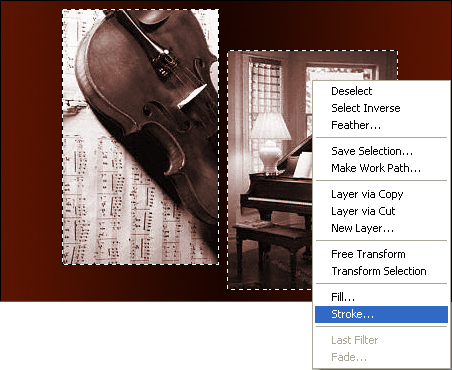
Deselect. The image should look like in this example:

|
